

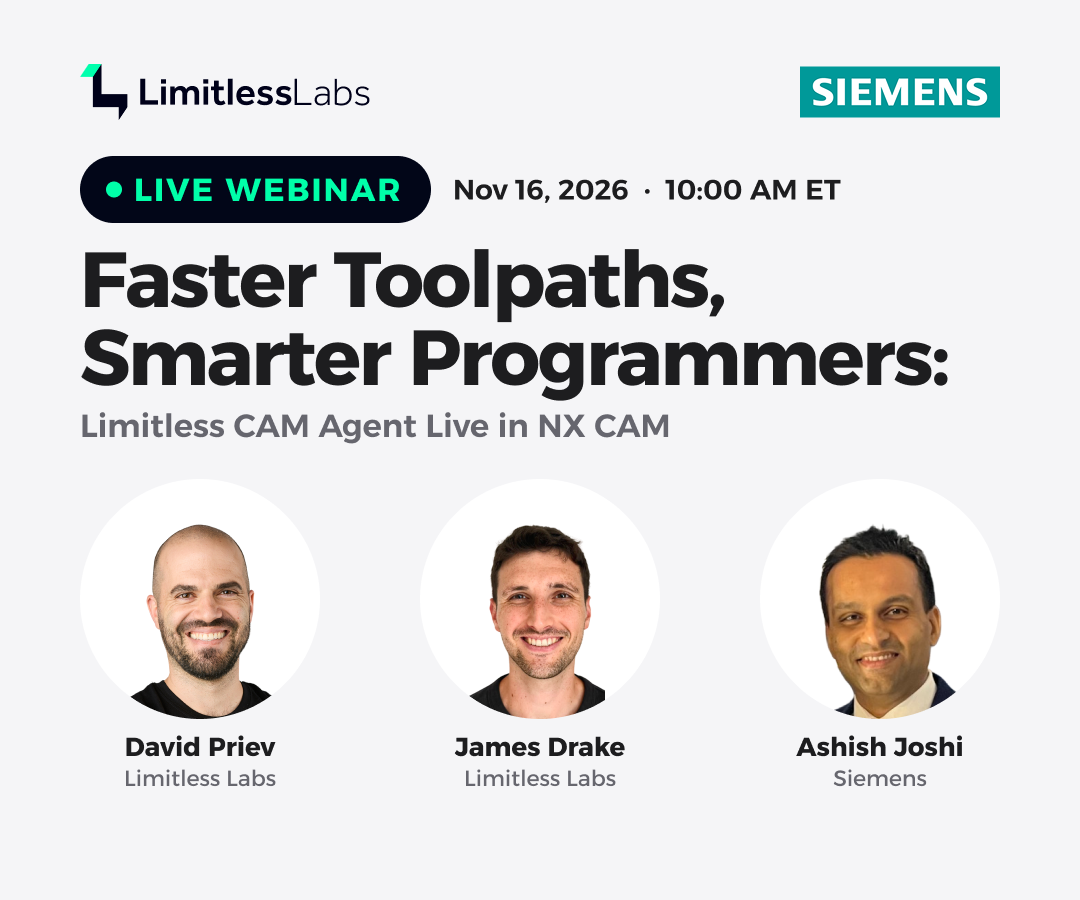
On November 16, Limitless Labs and Siemens held a joint webinar on AI-assisted CNC programming in Siemens NX CAM. James Drake, forward deployed engineer at Limitless Labs, demonstrated Limitless CAM Agent running live inside NX CAM. Limitless CAM Agent is a physical AI agent: it reads the real part geometry, applies an understanding of the physics of cutting, and proposes toolpaths that the programmer reviews and approves. Ashish Joshi of Siemens then presented the Siemens view of the future of part manufacturing and the NX CAM capabilities on its roadmap.
This article summarizes five takeaways for CAM programmers and manufacturing leaders who are evaluating CNC programming software for NX. The complete recording is available on demand.
1. The agent works from your NX setup and your machining constraints
The agent runs as an overlay within NX, so the workflow begins where a CAM programmer's already does: with the part setup. The blank, fixture and check geometry, the MCS and the available tools are read directly from NX and serve as inputs to the machining strategy.
The programmer then defines the cutting conditions. In the demonstration, James selected 6061 aluminum. The material library also covers superalloys such as Inconel 625 and 718, as well as titanium and stainless steels, and the agent derives feeds and speeds from the selection. The machine is configured in the same way, including 3-axis or 5-axis kinematics, maximum spindle speed, power and torque, so that every proposal stays within the capability of the machine that will run the program.
Before programming begins, a 3D Lab lets the programmer supply information that cannot be inferred from the model alone:
- Thread groups. Implicit thread geometry is not recognized automatically. When a group of holes is defined by thread specification and depth, for example 1/4-28 UNF, the agent plans thread milling or tapping instead of drilling or hole milling.
- Tolerance groups. A hole specified as 0.500 in +0.001/-0.000, or as 8 mm H7, leads the agent to select a reamer or a boring head, or to leave finishing stock and size the feature in a later operation.
- Cut and no-cut regions. Regions can be designated for machining or for avoidance, for example to machine only the exterior of a part.
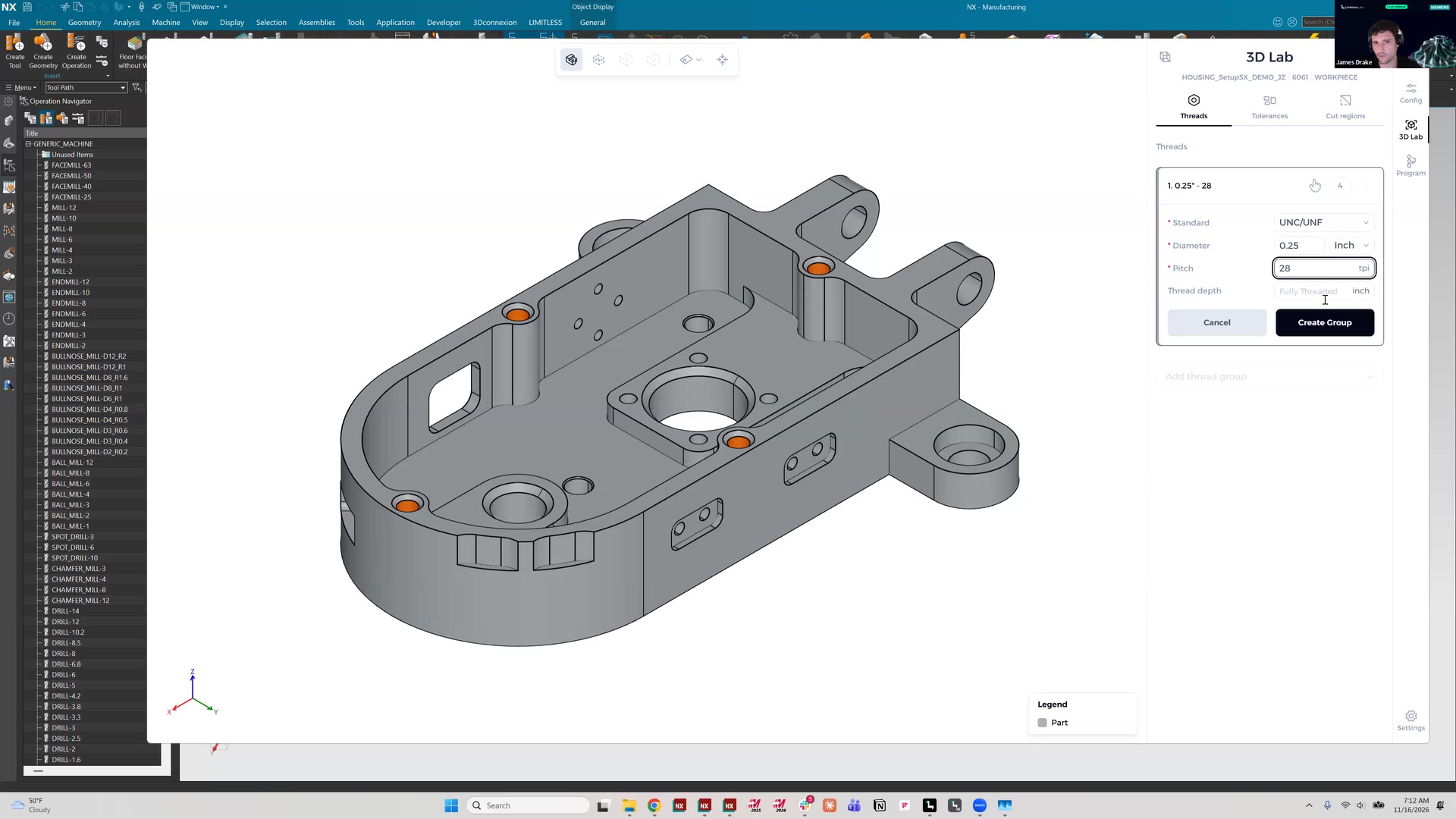
As James emphasized, the agent does not solve each part from scratch. Process knowledge supplied up front becomes part of the programming input.
2. Every operation is reviewed before it is posted to NX, and the agent tracks stock state
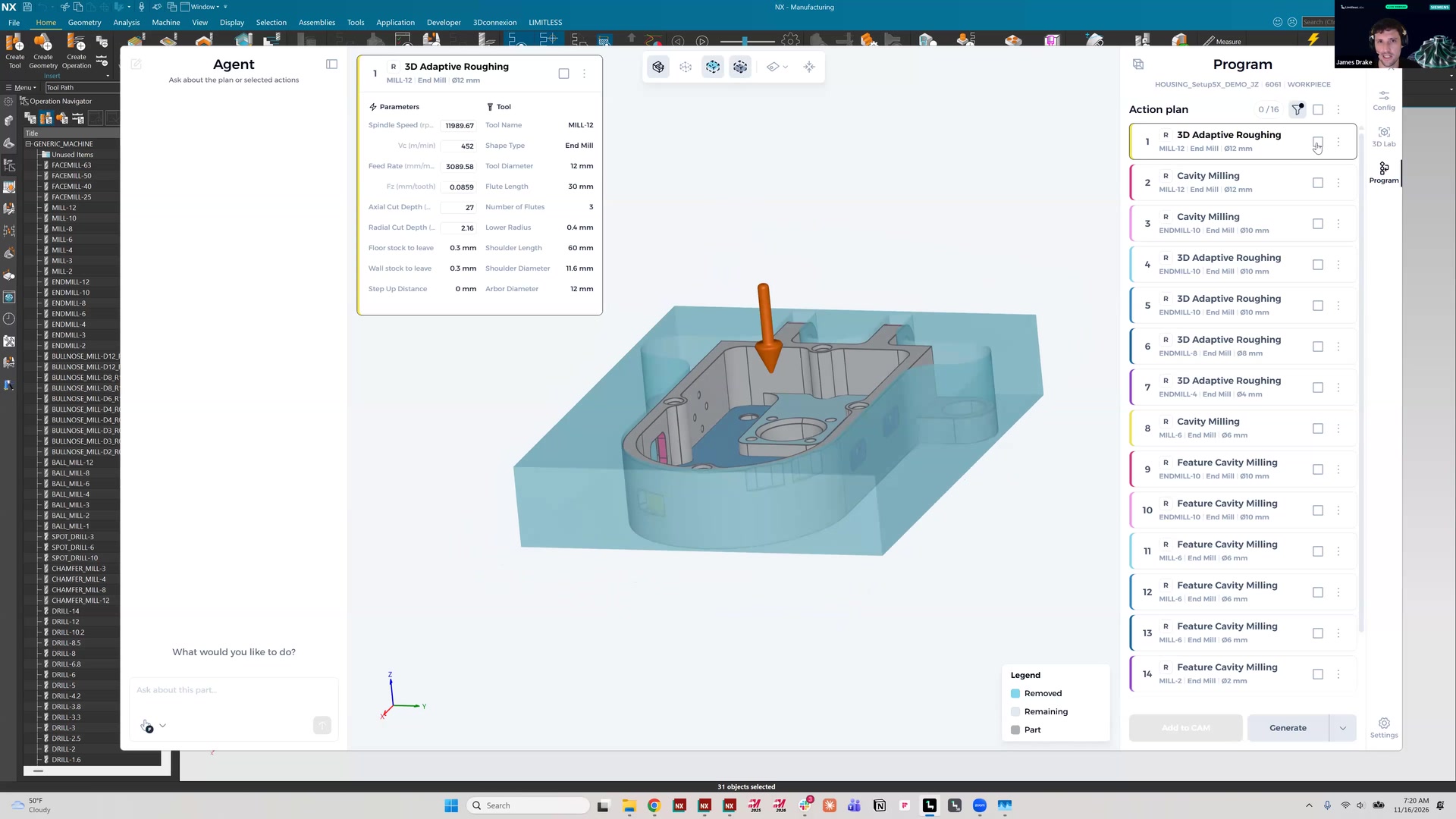
Nothing is posted to NX until the programmer selects it. For any selected face, the agent displays the machining vector, tool, operation type, feeds and speeds, and axial and radial depths of cut. All parameters can be edited before posting.
When the operation list is filtered to roughing, each operation can be previewed to show the region it addresses. In the demonstration, 3D adaptive roughing covered the exterior and left the interior untouched, while cavity milling covered the interior. Selected operations are posted to NX as native toolpaths, together with the sketch geometry and trim boundaries that constrain them, so tools, stepovers and other parameters remain editable in the usual way. James then simulated the first roughing pass, which accounted for the fixturing, the tool holder and the tool stick-out.
The agent is also stock aware: it tracks the state of the in-process workpiece as machining progresses. A programmer can create the first operations manually, invoke the agent, and have it continue from the current stock condition. The agent can be removed from the sequence and brought back later, so it fits into the existing programming workflow instead of replacing it.
3. The programmer can direct the agent in natural language
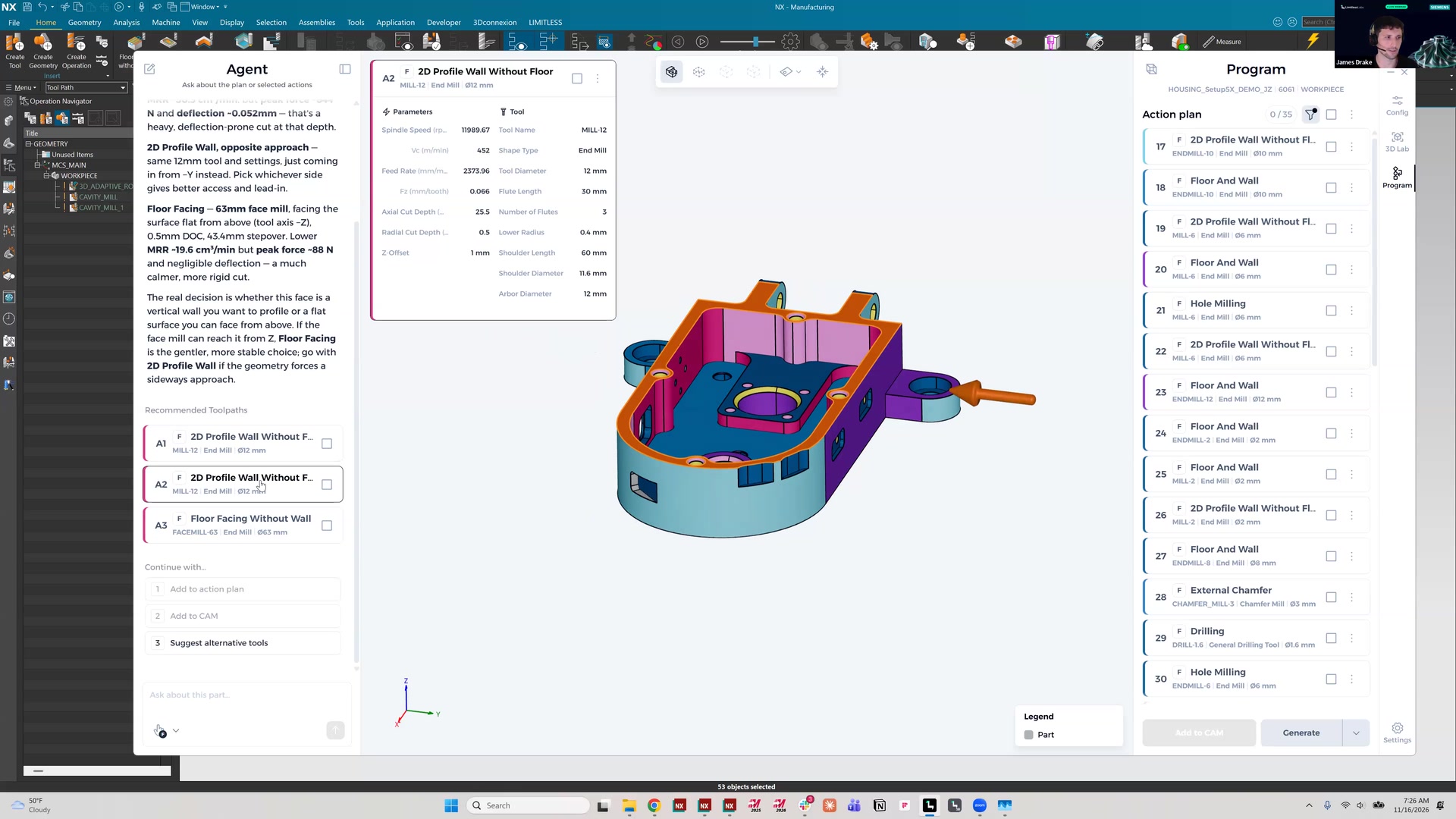
The demonstration included a case in which the agent's default strategy was feasible but not the one the programmer preferred. The agent proposed side milling a face, while James preferred to face it from above. He selected the face and asked for alternative toolpaths. The agent re-evaluated the available tools and returned several options, including floor facing from the top without a wall. He selected that option and posted it directly to NX, where it appeared as a standard NX toolpath.
James described further requests that the agent handles in natural language:
- Reduce the feed rate by 20% on the first five operations.
- Report the tool deflection on a given operation.
- Change the tool used in an operation.
Hole features followed the same logic. Because a tolerance group had been defined in the 3D Lab, the agent proposed hole milling followed by reaming, using the reamer James had made available. Operations can also be reordered, and stepovers can be adjusted in NX after posting.
For CAM programmers, the relevant test of any AI tool is whether an unsuitable first result can be corrected without rebuilding the operation manually.
4. Siemens: manufacturers face pressure on speed, part complexity and staffing
Ashish Joshi opened the Siemens section with the pressures that manufacturers describe to NX CAM customers. Local and global competition compresses margins. Customers expect more complex, customized parts on shorter lead times. Qualified programmers are increasingly difficult to find, given an aging workforce and a tighter labor market.
He also identified fragmented workflows as a drag on productivity. Many manufacturers still exchange data through memory drives and uncontrolled file systems, depend on paper documentation, and run quality processes that are disconnected from programming. Siemens' response is an end-to-end integrated flow from design through CAM and CNC or robotics programming to quality inspection, supported by a digital twin of the part, the processes and the resources.
Within that flow, NX CAM covers 2.5-axis to 5-axis milling, turning, and multi-axis and multifunction machines in a single system, with integrated CAD tools and G-code-driven simulation for final validation. For CAM programmers, the implication is that speed pressure and skills pressure are one problem. Any tool that shortens programming time without adding another disconnected system deserves serious evaluation.
5. NX CAM capabilities on the Siemens roadmap
Ashish presented several upcoming NX CAM capabilities. Siemens described them as in development, so release timing should be confirmed with Siemens.
- Manufacturing Canvas. Real-time manufacturing KPIs within the NX CAM workflow, with before-and-after comparison, trend tracking for cycle time optimization, and customizable KPIs.
- New 3-axis strategies. A 3D adaptive thin wall strategy for safe machining of thin-wall stock, faster flow milling reference tool and guiding curve operations for mold, tool and die work, and a dedicated cut region manager planned for the next release in the coming year.
- New 5-axis strategies. Smoothing and feed rate control on contour profile corners, negative stock without reworking part geometry, and a 4+1 tool axis option in variable axis guiding curve that reduces rotary axis noise in 4-axis cases.
- NX Manufacturing Viewer. A standalone application that replaces static PDFs and paper with interactive 3D, tool information, operation parameters, measurements and section views. Programmers export the data in one click.
- AI-powered NC Configurator. Post processor customization in plain language, starting from an automatically identified best-fit post. It produces an explainable difference that the programmer validates in NX by comparing the NC output.
- Smart Machine Kits. Digital twins for two new turn-mill machines, including a four-channel machine with a B-axis on each turret, so that programs and posts can be validated against exact kinematics before they reach the production floor.
The common thread is reduced rework between programming, simulation and the production floor. Ashish also noted that programs created in NX CAM, including those created with Limitless CAM Agent, can be sent to the production floor through the Manufacturing Viewer.
Watch the recording and evaluate it on your own parts
The full demonstration and the Siemens section on the NX CAM roadmap are available on demand. Enter your details and we will send you the link. The recording runs approximately 27 minutes and includes subtitles.
To see how Limitless CAM Agent handles your own parts, we offer a try before you buy period. It begins with a short call with our team to understand your parts and workflow, after which you run the agent on your own work for two weeks. Book a demo.
Limitless CAM Agent operates inside Siemens NX CAM, and Siemens is a strategic partner of Limitless Labs.
Want to see Limitless CAM Agent on your own parts?